Generate Poster Blog
Best AI Poster Generator for Cinematic Posters: 3 Routes
2026-03-09
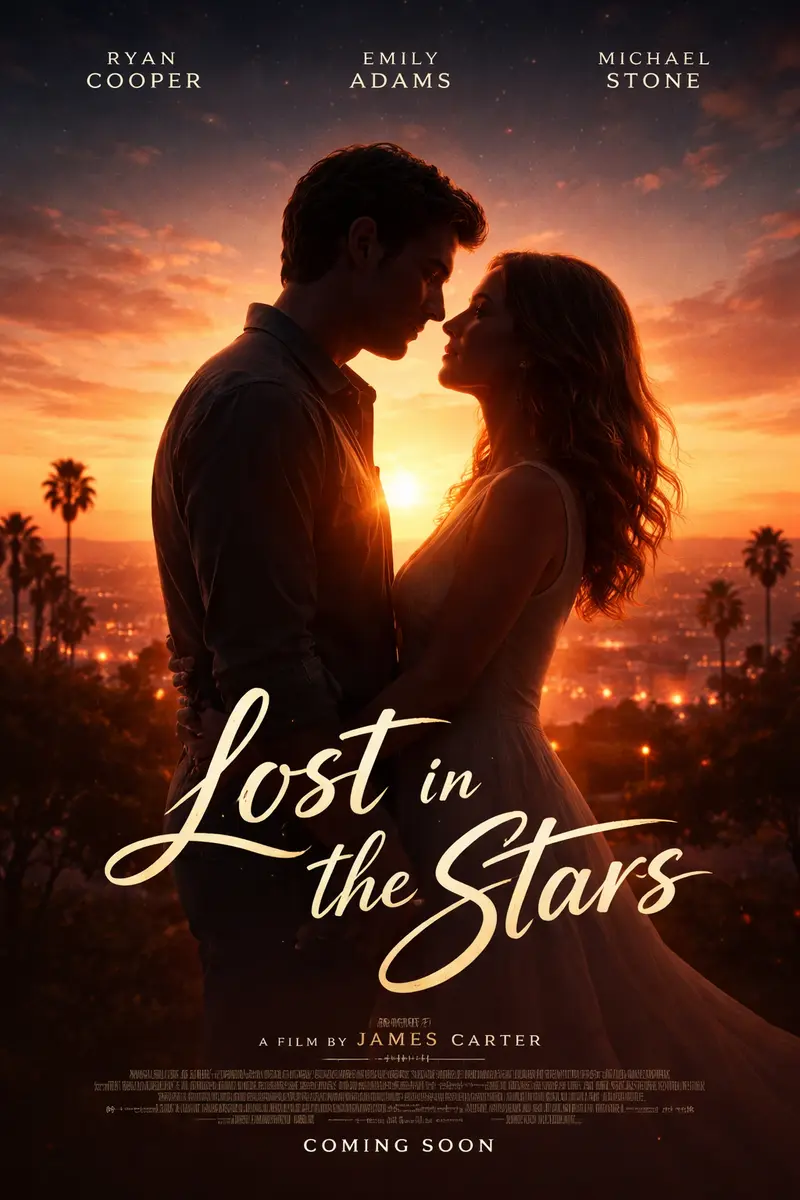
Most people hunting for the best AI poster generator for cinematic posters are already one level too deep. Before you compare tools, compare routes. There are three realistic ways to end up with a cinematic poster on your wall: generate the image with AI, assemble one in a template editor, or commission a designer. They differ on cost, time, control, likeness and print readiness — and picking the wrong route costs you far more than picking the wrong tool inside it.
Fair warning about who is writing this. We build an AI poster generator, so read the AI section as the one written from the inside, and read the other two as the cases where we are honestly not your answer. Those cases are real and they are more common than most comparison posts admit.
What is the best AI poster generator for cinematic posters?
The best AI poster generator for cinematic posters is one built around a single dramatic focal point, photo-led identity and print-resolution output — not a general image model with a poster preset bolted on. Cinematic posters live or die on lighting, negative space and one face you believe in. Judge tools on those three things.
Here is how the three routes actually line up.
| AI generation | Template editor | Commissioned designer | |
|---|---|---|---|
| Cost per poster | Lowest, priced per attempt | Free tier or subscription | Highest, skilled hours |
| Time to first draft | A minute or two | Minutes of manual assembly | Days to weeks |
| Original imagery | Generated for you | Stock plus your uploads | Art-directed for you |
| Exact text control | No text field | Full typographic control | Full typographic control |
| Your face as the lead | Strong, occasionally refused | Only by cutting out photos | Depends on retouch skill |
| Press-ready output | You prepare it at print time | Built into fixed canvases | Delivered press-ready |
| Revisions | Regenerate, non-deterministic | Instant and exact | Scheduled, billable |
Two deliberate omissions. There are no prices in that table, because commission rates vary enormously by market and scope, and editor pricing changes — any number printed here would be wrong somewhere. And the timings are our own working experience, not a benchmark.
Route 1: AI generation, when the image is the hard part
Pick this route when the picture you want does not exist. A desaturated noir portrait of you under a single sodium lamp is not sitting in a stock library, and it never will be. That is the whole case for AI, and it is a strong one.
What you get is an original image with cinematic lighting baked in, from a prompt like chest-up portrait poster, single warm key light from the left, deep charcoal background, heavy film grain, wide empty space across the lower third. You are directing light, palette and composition in a sentence rather than building them from parts.
What you give up is exactness. Generation is not deterministic — the same prompt twice gives you two different posters, which is wonderful when you are exploring and infuriating when you were one small fix from done. There is also no text field: you cannot type a title, a tagline or a credits block. Ask the prompt for clean space and add lettering later.
Expect a minute or two per run, not an instant result, and treat each run as a decision rather than a lottery ticket. Change one variable at a time. The AI poster design tips guide covers the habits that make each attempt count.
One rule that matters more than any of this: describe the aesthetic, never the property. Write 1970s crime drama, tobacco and oxblood palette, wide-lapel tailoring, hard shadow falloff instead of naming a film, and never upload an existing commercial poster as a style reference — the model will faithfully reproduce its wordmark and copyright line into your download. Classic mafia poster prompts shows what that looks like in practice.
Route 2: template editors, when the text is the hard part
A template editor is the better choice more often than AI vendors like to say. Choose it when the poster has a job to do beyond looking good.
It wins clearly when:
- The words are the point. A gig poster with a venue, a date and a door time needs characters you typed, kerned where you want them. No image model gives you that reliably.
- You need an exact canvas. A0, A3, US Letter, a specific frame you already own — editors are built around fixed sizes with bleed and margins. AI output arrives in one tall portrait ratio and you crop to fit.
- You will edit it again. Change the date next month, swap the logo, produce six variants of the same layout. Editable layers beat regeneration every time.
- Brand assets must appear untouched. A logo has to be the logo, not a plausible reconstruction of one.
The trade-off is imagery. You are assembling from stock and your own photos, so your poster will share its hero image with everyone else who searched the same keyword — and stock rarely delivers a genuinely cinematic frame with your face in it.
Route 3: commissioning a designer, when it has to be right
Hire a human when the poster carries risk. Commercial campaigns, client work, anything that will be printed in quantity, anything where a licensing question could become a legal one — that is designer territory, and neither of the other routes substitutes for it.
You are buying four things AI cannot sell you: accountability when something is wrong, clarity about rights and licences, layered source files someone else can pick up in two years, and typography set by an eye that has done it a thousand times. Custom lettering, a considered billing block, hierarchy that survives at both A2 and thumbnail size — that is craft, and it shows.
The cost is time and money, in that order. A commission runs on a brief, a schedule and revision rounds. If your poster is a birthday gift due Friday, that process is the wrong shape for the job.
Which route handles your likeness best?
AI is the strongest of the three here, with a real caveat that the other routes do not have.
Upload a sharp, front-facing photo as an identity reference and a good generator will keep your bone structure while rebuilding the light, wardrobe and world around you. A template editor can only mask out a photo you already own; a designer can composite you beautifully but is billing for the hours it takes.
The caveat is that identity work is governed by the image provider's safety rules, and those rules are applied silently. There is no error message. You get a poster where the person is nearly you — right hair, right build, wrong face — or where the subject has been turned away, thrown into shadow or handed sunglasses you never asked for. Face swaps and outfit swaps on real people trigger it most often.
When it happens, change the photo before you change the prompt, cut the prompt back, and describe the world rather than rebuilding the person. How to make a poster of yourself goes through that recovery sequence step by step, and how to turn your photo into a movie poster covers the cinematic framing that holds a likeness best.
Which route is genuinely print-ready?
All three can produce something you can hang, but they hand it over at different stages.
AI gives you a flat, high-resolution raster in a tall portrait format. That is ready for a home print or a print-on-demand order, and it is not a press file — there is no bleed, no CMYK conversion, no layered type. Add those in a print tool if you are ordering a run.
Template editors are built the other way round: print specification first, imagery second. Designers deliver the complete package, priced accordingly.
The hybrid route most people should use
The honest recommendation, if your poster needs both a striking image and exact words: use two routes.
- Generate the artwork with AI, asking the prompt for deliberate empty space where the type will sit.
- Take the download into any editor and set the title, names and dates yourself.
You get imagery nobody else has and typography that is exactly right, and you skip the only real weakness in each route. It takes an extra ten minutes and it is what we would do.
Getting a cinematic poster out of Generate Poster
If the AI route fits, the workflow is short. Describe the mood rather than the plot, upload a portrait if you want to be the lead, and generate. Two starting points worth stealing:
lone figure in a long coat on a rain-slicked street at night, sodium lamps, cold blue key light, low camera angle, desaturated palette, clean space across the bottom thirdprestige drama portrait, one warm key light with hard falloff, eye sockets in shadow, muted amber and charcoal, visible film grain, centred composition
Then judge two things and only two: does the face read, and does the mood land. If it is close, change one detail and run it again.
Ready to try the AI route? Start with the AI poster generator, or go straight to the movie poster generator if you already know the look you want.